> For the complete documentation index, see [llms.txt](https://xave-finance.gitbook.io/general/llms.txt). Markdown versions of documentation pages are available by appending `.md` to page URLs; this page is available as [Markdown](https://xave-finance.gitbook.io/general/guides/how-to-lend.md).
# How to Lend
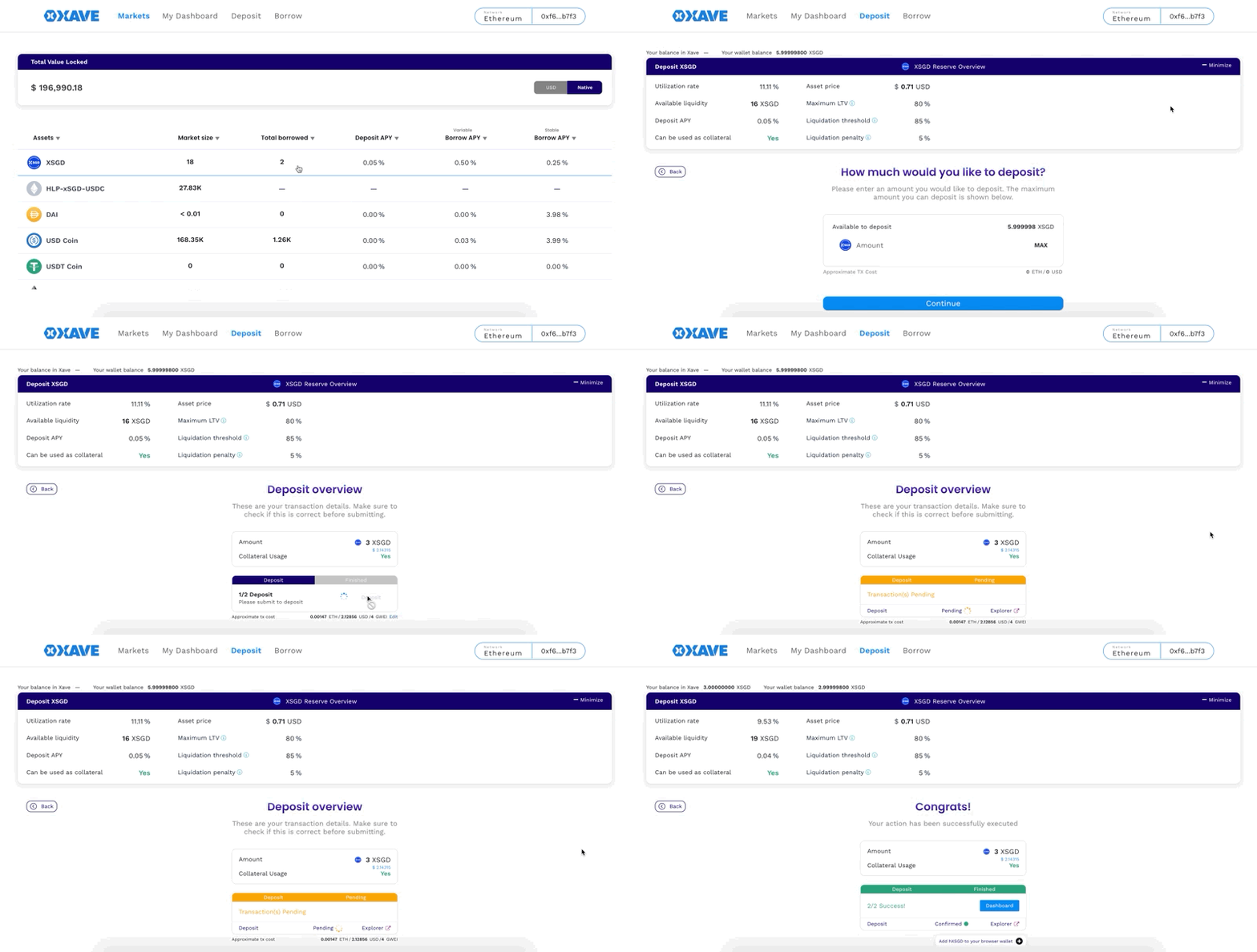
1. Go to
2. Go to the "Deposit" tab.
3. Select the asset that you want to deposit as collateral.
4. Enter the amount.
5. Click the "Continue".
6. On the "Deposit Overview", click "Deposit".
7. You will be prompted to confirm the transaction from your wallet (i.e. Metamask), click "Confirm".
8. Wait for the transaction confirmation.
9. Don't forget to add your hTokens to your Metamask, link will be shown at the bottom.